Paper C
Entry-level MCQ
- Questions
- 30
- Duration
- 45 min
- Total points
- 70
- Pass mark
- 35
- Requires
- Just Node.js
- Prep
- Starter
National Selection — K-12 Cybersecurity × AI
AI is your ally. AI is your target.
A real 7-minute walkthrough on v2.19.34 — install, first run, and a sample question. One terminal. No browser.
ICOA-CLI v2.19.34 walkthrough · 7 min · 720p · 12 MB · plays inline on mobile and desktop
Two short reads for anyone — organizers, national committees, parents, first-time visitors. No technical background required.
Pick yours — the choice carries to the CLI and the exam.
Switchable on the page, in the CLI, and inside the exam.
We'll auto-detect your system. If we got it wrong, pick the right tile — the install steps update instantly.
cmd · PowerShell · WSL2
Terminal
Ubuntu · Debian · Fedora
Install Node.js, install the ICOA CLI, start the CLI. That's it.
Full Unix toolchain · fits Paper B or A · ~30 min install · needs admin rights
Right-click PowerShell → Run as administrator. Then:
wsl --install -d Ubuntu-22.04Reboot when prompted. Ubuntu opens automatically — create a Linux username and password.
sudo apt purge -y nodejs npm libnode-dev libnode72
sudo apt autoremove -y
curl -fsSL https://deb.nodesource.com/setup_22.x | sudo bash -
sudo apt install -y nodejs
Note: don't run apt install npm separately — NodeSource's nodejs already bundles npm. The purge above is a safe no-op on a fresh WSL2 image.
Best when apt complains about common.gypi or is in a broken state.
curl -o- https://raw.githubusercontent.com/nvm-sh/nvm/v0.40.1/install.sh | bash
source ~/.bashrc
nvm install 22 && nvm use 22
No sudo needed — nvm keeps Node inside ~/.nvm.
sudo npm install -g icoa-cli@latest
icoa
You're now on a Linux terminal inside Windows — identical to the native Linux path.
Easiest entry · fits Paper C · 3 min · no admin needed · cmd and PowerShell are identical for ICOA — pick whichever opens first
Go to nodejs.org, click the green LTS button, run the installer. Verify:
node --versionnpm install -g icoa-cli@latesticoaPress Enter for National Selection. Try demo first, then exam <your-token>.
Option A — if you have Homebrew:
brew install nodeOption B — go to nodejs.org and click LTS.
Verify in Terminal:
node --versionnpm install -g icoa-cli@latestIf you get permission denied, use:
sudo npm install -g icoa-cli@latesticoaPress Enter to select National Selection. Type demo for practice, or exam <your-token> when you're ready.
Ubuntu 24.04 (Node 22 in default repo):
sudo apt update && sudo apt install -y nodejs npmUbuntu 22.04 (needs NodeSource — remove any old Ubuntu-repo Node first):
sudo apt purge -y nodejs npm libnode-dev libnode72
sudo apt autoremove -y
curl -fsSL https://deb.nodesource.com/setup_22.x | sudo bash -
sudo apt install -y nodejs
Note: don't run apt install npm separately — NodeSource's nodejs already bundles npm. The purge above is a safe no-op if no old Node is installed.
Verify:
node --versionExpect v22.x.x.
Best when: no sudo access, school/shared laptop, or apt is in a broken state.
curl -o- https://raw.githubusercontent.com/nvm-sh/nvm/v0.40.1/install.sh | bash
source ~/.bashrc
nvm install 22 && nvm use 22
npm install -g icoa-cli@latest
No sudo needed — nvm keeps everything inside ~/.nvm. If nvm: command not found after install, open a new terminal or run source ~/.bashrc again.
Best when: Alternative A failed, you're on Ubuntu Desktop with snapd installed.
sudo snap install node --classic --channel=22
sudo npm install -g icoa-cli@latest
Minimal Ubuntu Server may lack snapd — run sudo apt install snapd first.
Best when: no apt, no snap — just want the binary on PATH.
cd /tmp
curl -o node.tar.xz https://nodejs.org/dist/v22.14.0/node-v22.14.0-linux-x64.tar.xz
sudo tar -xJf node.tar.xz -C /usr/local --strip-components=1sudo npm install -g icoa-cli@latesticoaPress Enter to select National Selection. Use demo first, exam <your-token> when ready.
demo first
Strongly recommended for every student, every time.
demo is free — your real token is never touched.ICOA has three selection papers. Your local exam center decides which one you take based on your age group and experience.
Entry-level MCQ
K-12 with AI
Advanced
Your exam center decides which paper you take — and on Windows, which setup fits (cmd/PowerShell for Paper C, WSL2 for Paper B or A). Ask your teacher. Do not choose either yourself — mismatches cause token/exam conflicts we can't fix afterwards.
These selection resources offer progressive multi-platform support. Each country's national committee decides the format that fits — and is free to run its selection in an alternative format entirely.
Five key moments, auto-cycling every 3 seconds. For the full walkthrough, see the video near the top of this page.
$ icoa

══════════════════════════════════════════
  ICOA — International Cyber Olympiad in AI 2026
  The World's First AI Security Olympiad
══════════════════════════════════════════

  Sydney, Australia · Jun 27 – Jul 2, 2026
  https://icoa2026.au
  CLI v2.19.98
Select mode:

  › National Selection
    Practice (demo)
    About

  ↑/↓ to move · Enter to select
Paper B — Selection Round 1

Question 3 of 40                    Time: 82:14

Which is the primary risk of a SQL injection?
  A) CPU overload
  B) Unauthorized data access
  C) Browser crash
  D) Slow rendering

Type A/B/C/D  ·  n = next  ·  p = prev
━━ AI Chat ━━━━━━━━━━━━━━━━━━━━━━━━━━━

you > Can you explain what SQL injection is?
ai  > SQL injection is an attack where
       a malicious user inserts SQL code
       into an input field to manipulate
       the database query...

AI assistance is allowed on Paper B/A
:back  to return to the question
Submit exam?

  40 answered / 40 total
  All questions complete.

  › Yes, submit final
    No, keep reviewing

  Submission is final. Token is one-shot.
ICOA-CLI is just ~443 KB total — once Node.js is installed, the exam runs smoothly even over 3G networks.
Every candidate — C, B, or A — starts from the same foundation. Paper-specific prep layers on top.
Foundation
48 essential CLI commands. The bedrock everyone starts with.
LIVE STEP 02Depth
Binary, reversing, assembly, tools — classical CTF depth.
LIVE STEP 03ICOA-native
110 sandbox tools, ICOA CLI commands, and the AI tracks.
LIVE STEP 04Full reference
The complete training companion — everything above plus Paper S finals prep.
LIVEEntry level · no programming
30 MCQs in 45 min. Everything is covered by the Starter Guide.
K-12 with AI · Python required
40 mixed questions in 90 min. Python 3 + basic cybersecurity commands (netcat, nmap, strings).
Advanced · Sydney-finals track
40 questions in 90 min including prompt-injection basics (no coding needed for the injection track itself).
Inside the exam, type ref to pull up the full command reference — all 110 ICOA operations at a glance.
ICOA 2026 Sydney adds a fourth tier above A/B/C — call it Paper S (Sydney-only). It includes advanced AI-security challenges — adversarial ML, not just prompt injection. Finalists should be comfortable with Python 3 and the Machine Learning Fundamentals — numpy (arrays), pandas (dataframes), and sklearn (models). The national-selection Paper A does not currently include this content; Paper S is a Sydney-only track.
Candidates who have earned a place to represent their country at ICOA 2026 Sydney are encouraged to use the weeks before arrival for focused preparation. The adversarial-ML track of CTF4AI draws directly from the foundational literature in AI security; familiarity with the paper below will materially improve problem-solving on site.
AI security sits at the intersection of two disciplines that, until very recently, were treated as post-graduate territory. Until around 2024, work in this space happened almost exclusively at the graduate-student level and above. Since then, universities worldwide have begun formalizing undergraduate AI tracks, but no standardized international curriculum yet exists for secondary students in AI security. That gap is precisely what an Olympiad is for.
A growing number of secondary students are already producing serious work at the AI-security frontier. In most countries, AI × Cybersecurity remains a doctoral-research field — our bet is that, in the middle of this AI transformation, bright secondary students can engage meaningfully with research-level problems. Enough of them already are.
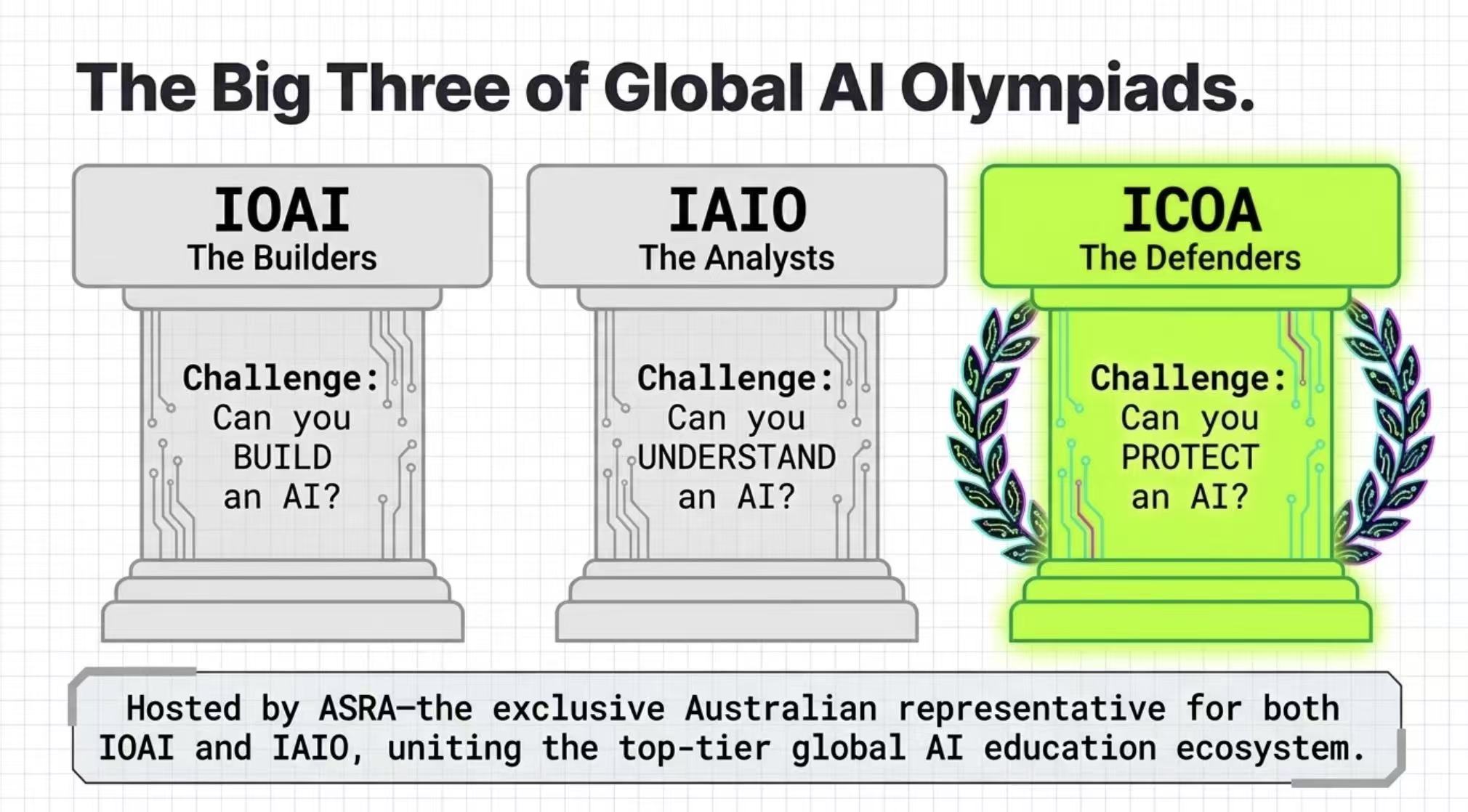
We tip our hat to IOAI and IAIO — the two AI Olympiads that paved the way. ICOA joins them as the first Olympiad dedicated to AI Security: the discipline that, in the age of AI agents, most directly decides how safe this technology actually is.
215 versions and counting. From 1.0.0 to 2.19.98, ICOA-CLI has shipped 215 iterations — and we keep going. If you hit a technical issue, email australia@icoa2026.au. During national selection we'll do our best to provide remote technical support to every participating country. Thanks to ICOA-CLI's ~443 KB footprint, most on-site problems are resolvable in minutes, not hours.
AI Security is still mostly a doctoral research area in most of the world. In the AI-agent era, we believe that bright secondary students can take part in it — and do real work. ICOA exists to be that platform.
National selections now. Sydney is the inaugural global final. The three editions after it are already locked or in motion.
27 Jun – 2 Jul 2026
Inaugural global final. National selections running now.
Dates TBA
Confirmed host city.
Dates TBA
Planned host city.
Host applications
Opens after Sydney. Interested national committees — email us.
Info Pack and README.first are at the top of this page. All downloads open in a new tab. Questions? Email australia@icoa2026.au.
Sydney isn't just a week of competition. It's where national delegations meet in the General Assembly to shape the next chapter of global AI-security education.
At the General Assembly (GA), all participating country representatives convene to debate and pass resolutions for the future of ICOA. One constructive proposal under discussion: a sustained post-competition exchange — ASRA will host an ongoing global video course training so national teams can build year-round capacity, not just the week of Sydney.
Priority access to the training program is one of several Founder Country advantages. Reach out to discuss how your country can qualify and what support comes with it.
National committees: please submit team leader and competitor details before 6 May 2026 so we can start visa acceleration. Later submissions may affect attendance.
For course enrollment, Founder Country inquiries, or visa support — email australia@icoa2026.au.
The seven questions we get most often. Click to expand.
cmd.exe codepage issue on older Windows. Fix by platform:
chcp 65001 before icoa to switch the console to UTF-8.chcp 65001 works.lang en to stay in English.0 (zero) vs O (letter).
ICOA_RESET_STATE=1 icoa on your current machine. If you're on a new laptop after a hardware failure, ask your organizer for a fresh token.
cmd → "Run as administrator", then retry.sudo npm install -g icoa-cli@latest.
npm cache clean --force
npm uninstall -g icoa-cli
npm install -g icoa-cli@latestcmd or PowerShell as administrator. macOS / Linux: prefix with sudo if needed. A fresh ICOA-CLI install is only ~443 KB, so even on a slow connection it's quick. Follow your exam center's instructions if they specify otherwise.
@<version> to the install command:
npm install -g icoa-cli@2.19.972.19.97 with whatever version your exam center specifies. Different exams may pin to different versions — always follow your exam center's exact version requirement.
cmd and PowerShell are identical for ICOA — pick whichever opens first; both fit Paper C. WSL2 + Ubuntu is recommended for Paper B or A (full Unix toolchain). If your paper isn't assigned yet, ask your teacher — don't install WSL speculatively, it needs admin rights some school laptops lack.